Obsidian Vault Syncing
I sync my vault to GitHub, but the problem with that is everything can only be 100% private or 100% public. I found a slick way around this so I can use one vault for everything.
If you don't know Obsidian, it's like a self hosted Notion with more features. It comes with a nice editor and UI but saves files as plain text/markdown which makes the backup easy to read and a great CMS for other apps to consume. Example obsidian editor vs output:
Notice how in the example vault above we have a "Public" and "Private" folder. My goal is host only the "Public" folder on the internet, but first we need to setup the private GitHub backups. To create a new vault, see example project at the end of this thread.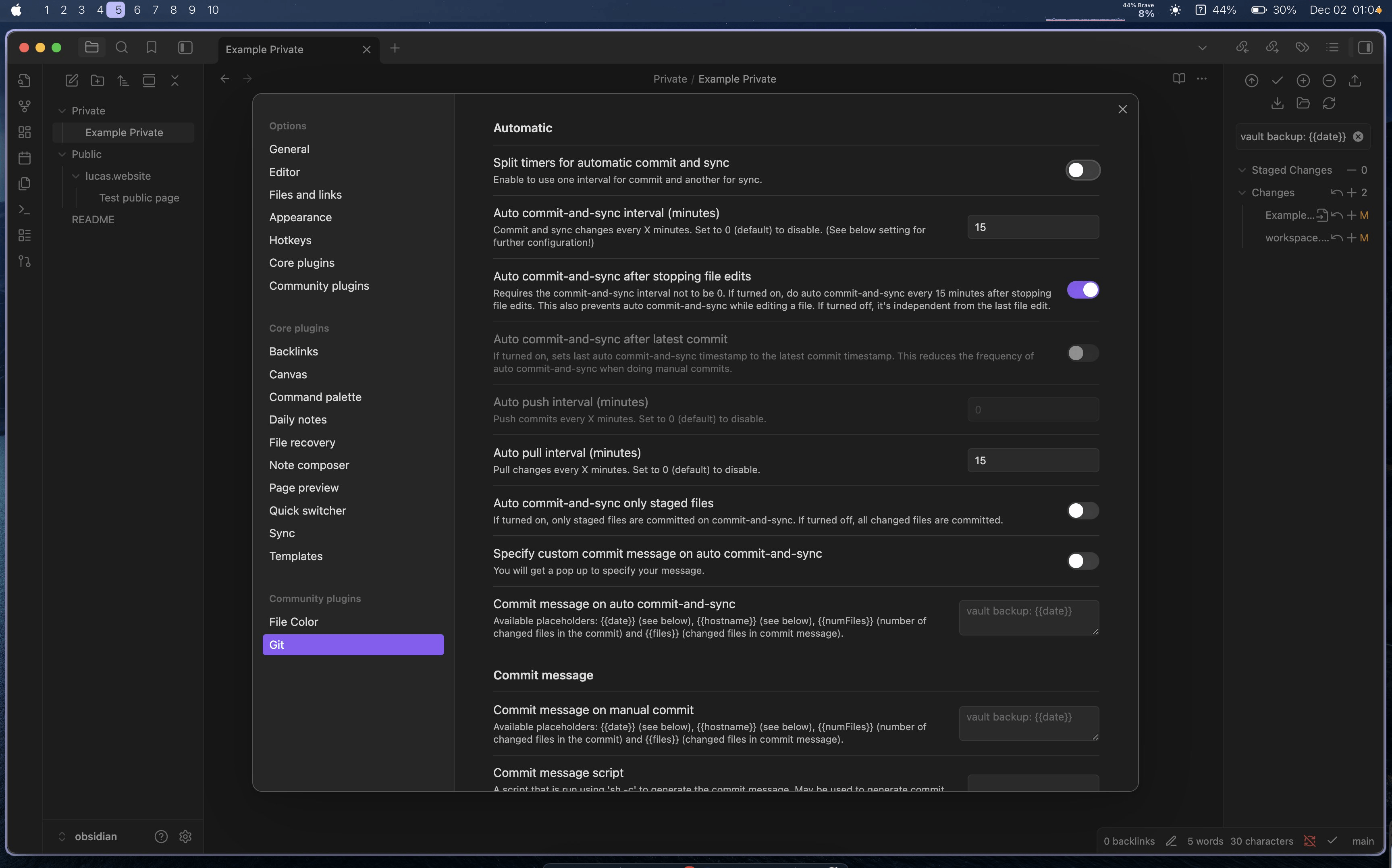
Once the above is setup, changes will be synced to the connected GitHub repo based on your settings. I usually manually trigger a sync using the git UI seen in the right sidebar above, but they have a bunch of auto sync settings.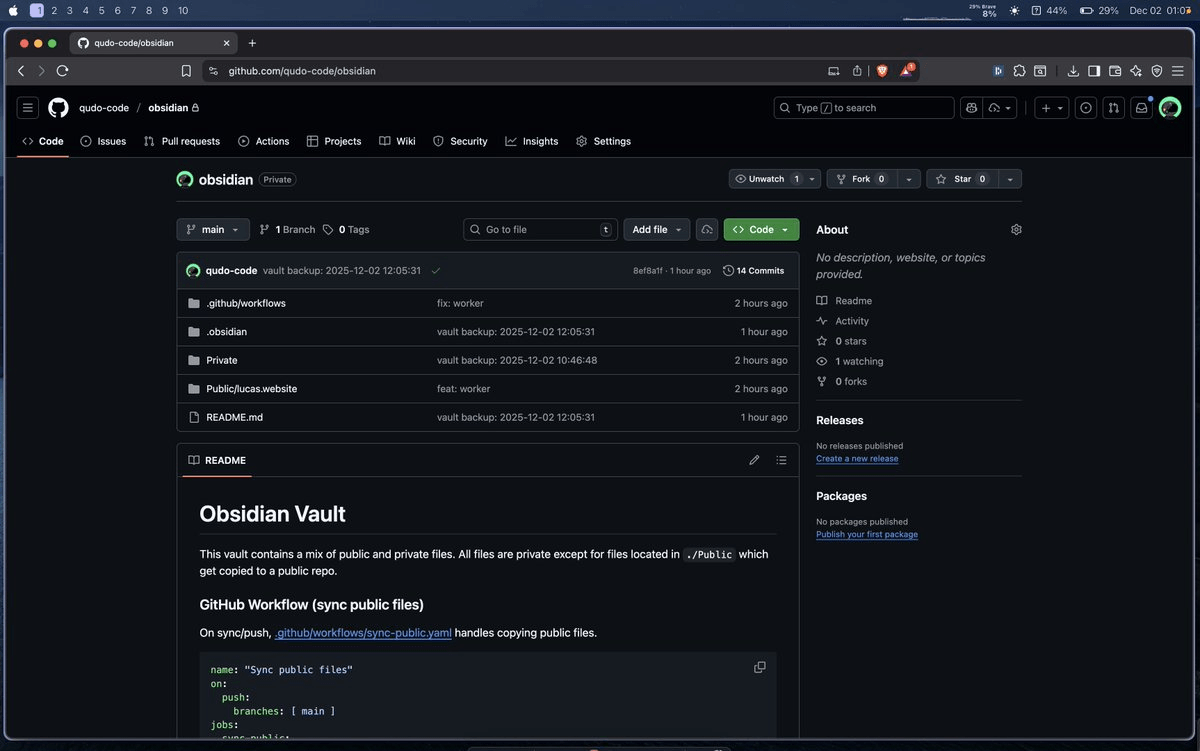
Up to this point is how I've been using Obsidian so far. If I needed a public vault, I'd make a new repo and a new Obsidian vault. But what if on Obsidian sync/backup we could use GitHub Actions to copy the contents of the "Public" folder to a separate public repo?
Turns out this works great! All we need to do is add a new file to our Obsidian vault and generate an API key.
1. Open your vault folder in a code editor such as VSCode.
2. Create a .github/workflow folder with a sync-public.yml file inside (link below).
3. Push changes.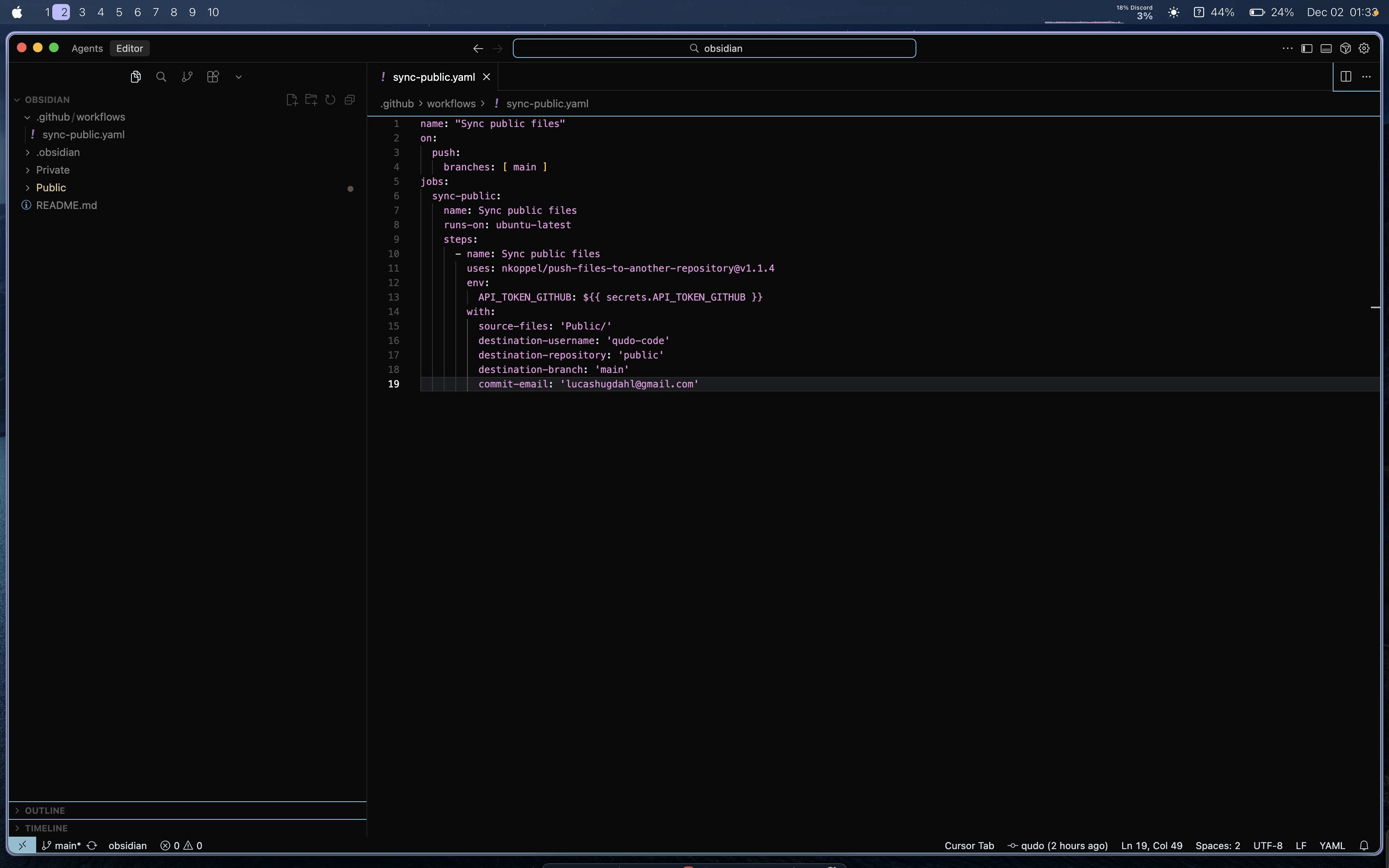
On GitHub, create another repo to be our public one. I named mine "public". Once created, setup a new PAT following the guide in the example proejct at the end of this thread. The important part is to grant read/write perms and access to BOTH your public and private repo.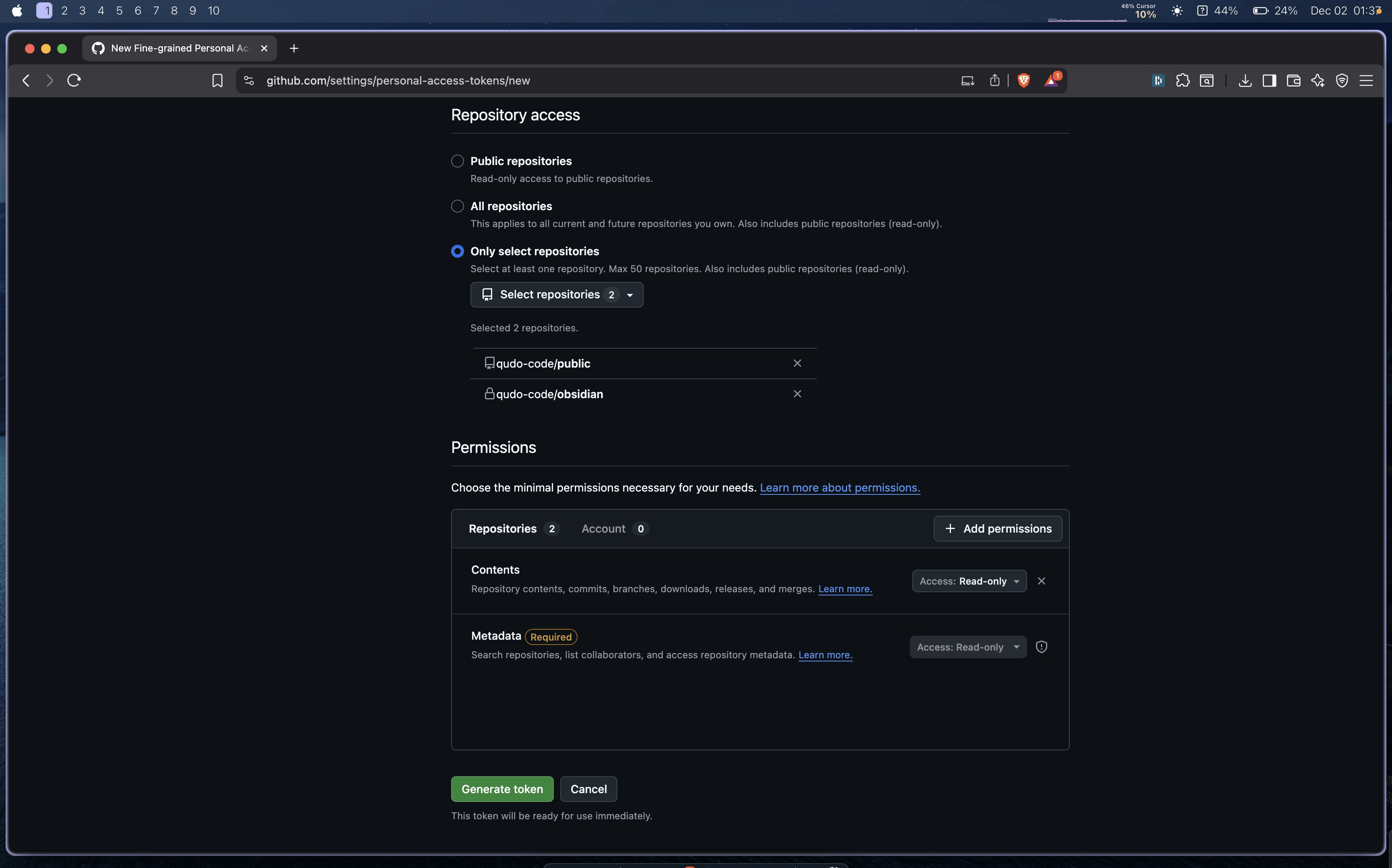
Once you've generated a key, copy it and go to your private repo. Add the new key under Secrets -> Actions and name it "API_TOKEN_GITHUB". Now the private repo should have permissions to push files from itself to the public repo.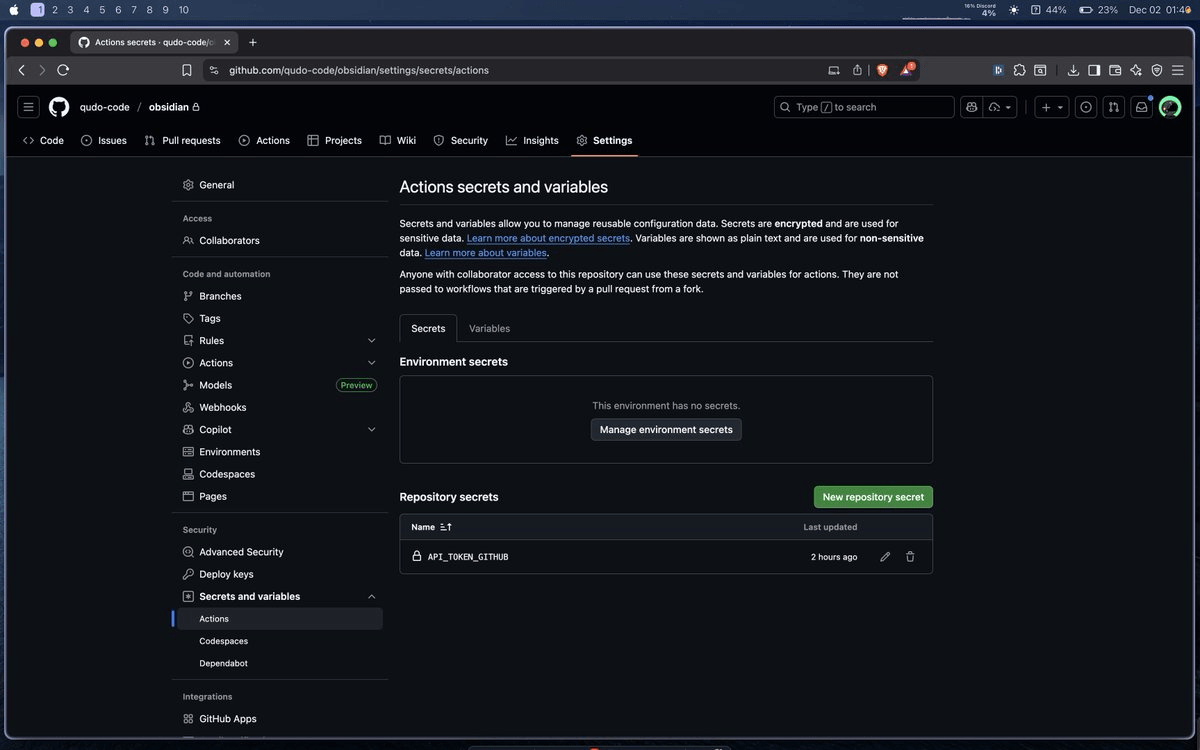
At this point everything should be connected. Try adding a new file under "Public" in Obsidian, trigger a git sync, see if new file was synced to your private repo and also copied to your public repo.